Your IT policies, done in a day.
12 editable IT policies written to satisfy cyber insurers, customer security reviews and auditors, plus everything you need to finish them, publish them and keep them current.
The 12 policies
Each one follows the same structure: purpose, scope, roles, policy, exceptions, enforcement, definitions, and revision history. Each also includes a "how to use this template" box.
- Acceptable Use: Technology use, AI tools, monitoring, employee sign-off
- Password & MFA: Passphrases, phishing-resistant MFA, admin and break-glass accounts
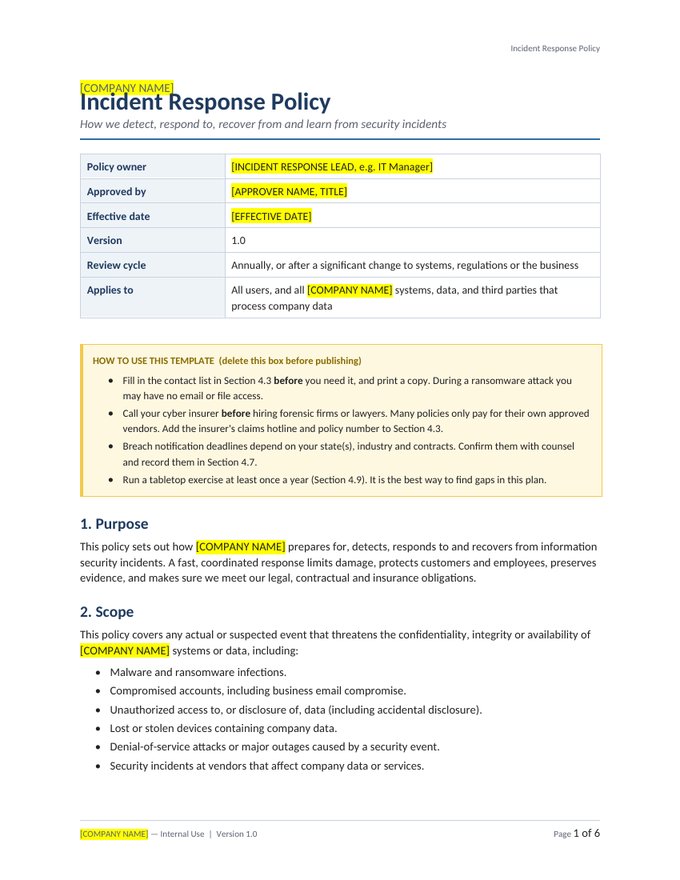
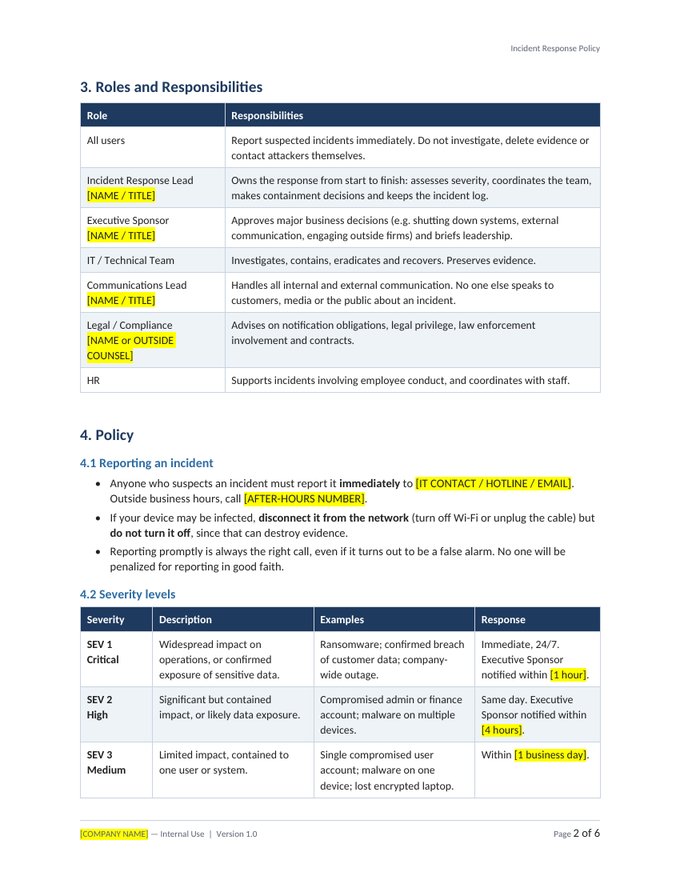
- Incident Response: SEV 1-4 matrix, response phases, insurer-first contacts, ransom decisions
- Remote Work: Home and public networks, physical security, working abroad
- BYOD: App protection, privacy promises, two models for personal devices
- Access Control: Joiners, movers and leavers, least privilege, review cadence
- Data Classification & Retention: Four levels, handling matrix, retention schedule, legal holds
- Backup & Recovery: 3-2-1-1-0 rule, RPO/RTO targets, restore testing
- Vendor & Third-Party Risk: Risk tiers, SOC 2 reviews, contract must-haves
- Change Management: Standard, normal and emergency changes; lightweight CAB
- Asset Management: Inventory, device baseline, SaaS tracking, certified disposal
- Security Awareness Training: Role-based training, phishing simulations, metrics
Plus four extras that get it over the line
Start Here: Customization Guide
Priority order, step-by-step instructions, the 12 key decisions with common choices for 20-300 person companies, and the evidence to keep.
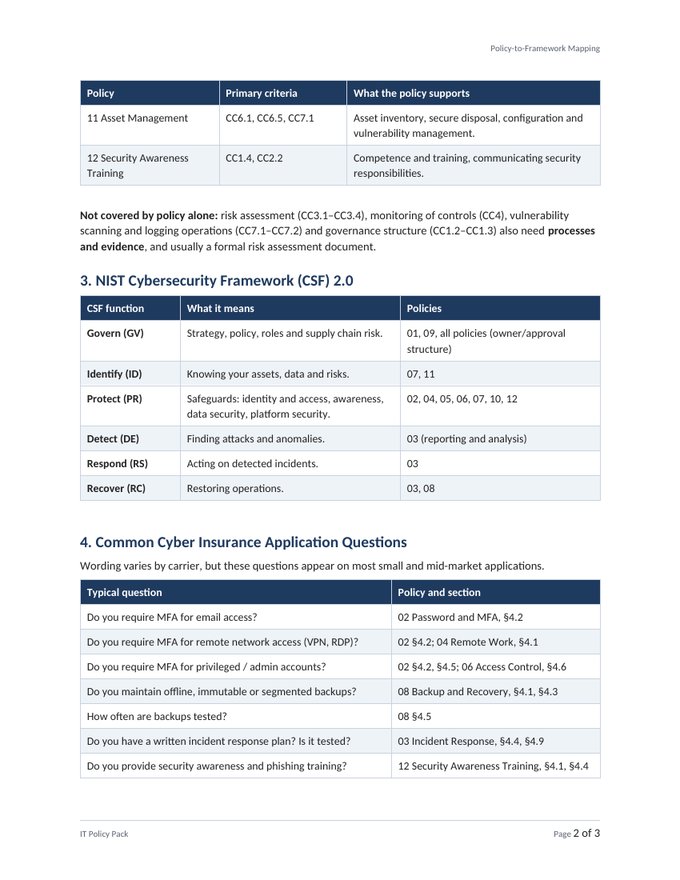
Policy-to-Framework Mapping
Which policy section answers each SOC 2 criterion, NIST CSF 2.0 function, common cyber insurance question and security questionnaire topic.
Policy & Compliance Calendar (Excel)
Tracks annual reviews and 21 recurring activities your policies commit you to, with overdue flags and a 12-month view.
Employee Acknowledgment Form
One sign-off for all 12 policies, ready for onboarding and annual re-acknowledgment.
A look inside
Questions, answered
Who is this for?
IT managers, first IT hires and operations leaders at companies with roughly 20-300 employees who need professional IT policies and records without hiring a consultant. MSPs can use it too. See the license for multi-client use.
What format are the files?
Policies are Microsoft Word (.docx) and open in Google Docs. Trackers and the calendar are Excel (.xlsx), built for Excel 2019 or later and Microsoft 365, and most features also work in Google Sheets. Downloads are delivered as ZIP files.
How long does customization take?
Most buyers finish the 12 policies in 4-8 hours using the Start Here guide. Every item you need to change is a yellow-highlighted placeholder in [brackets], so nothing gets missed.
Will this make us SOC 2 compliant or guarantee our insurance renewal?
No template can do that on its own. SOC 2 needs written policies and evidence that you follow them over time, and insurers decide their own underwriting. This toolkit gives you both pieces and maps each one to the criteria and questions it supports, so you can answer confidently.
Is this legal advice?
No. These are professional templates written from real IT operations experience. Have counsel review the sections the guide flags (retention periods, breach notification, monitoring language), especially in regulated industries.
How do I receive the files?
Right after checkout we email download links (valid for 7 days). Lost the email? Request fresh links any time on the Downloads page.
Do I get updates?
Yes. Buyers receive free updates to version 1.x of the products they purchased.
What if it isn't right for us?
Email us within 30 days of purchase for a full refund. No forms, no hassle.
Microsoft 365 Security Baseline Checklist
35 settings that close the gaps attackers, auditors and cyber insurers look for first, each with why it matters and exactly where to change it. Start with the 7 marked Critical.
Free. We'll also send occasional practical IT ops tips. Unsubscribe any time.